You want to upload a picture to your website, complete an application or send a design to a customer. Then you see different file options: JPEG, PNG and WebP.
Which one should you choose?
The answer depends on what the image contains and where you want to use it.
A product photograph, a transparent logo and a website banner do not always need the same format.
For business owners, students and office workers in Sapele, Warri, Port Harcourt and across Nigeria, understanding these differences can help you avoid large files, unclear pictures and rejected uploads.
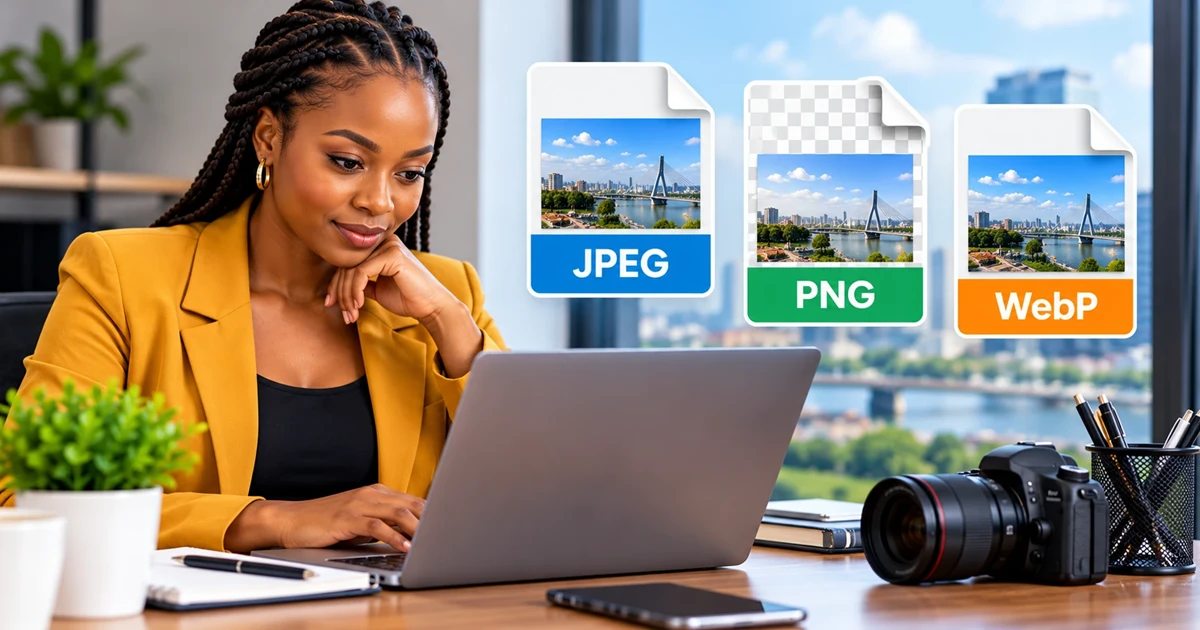
JPEG is commonly useful for photographs, PNG is useful for sharp graphics and transparency, and WebP offers flexible compression for website images.
Here is what that means in everyday use.
What Is an Image Format?
An image format is the way a picture is stored in a file.
You can usually recognise it from the letters at the end of the filename, such as:
- product.jpg
- companylogo.png
- websitebanner.webp
The format can affect image quality, file size, transparency and compatibility with different services.
Changing the format does not automatically improve the picture. You still need a suitable original and the right settings.
What Is JPEG?
JPEG is a common image format used for photographs. Its files often end in .jpg or .jpeg.
Both extensions refer to the same format.
JPEG uses compression that can remove some image information to reduce file size. At sensible settings, a photograph can remain clear while becoming easier to share or upload.
When JPEG Is Useful
JPEG is often suitable for:
- Product photographs.
- Staff pictures.
- Event photographs.
- Office and project images.
- Everyday photo sharing.
For example, a catering business in Sapele could use JPEG for food pictures. An engineering company in Warri could use it for photographs of completed work.
 What to Watch Out For
 What to Watch Out For
Heavy compression can make details unclear or create visible marks around edges.
JPEG also does not support a transparent background.
Repeatedly editing and saving a JPEG with lossy compression can reduce quality. Keep an original copy and create separate versions for different uses.
What Is PNG?
PNG is an image format that supports lossless compression and transparency.
Lossless means the compression preserves the image information rather than discarding some of it.
PNG is often useful for graphics with sharp edges, clear writing or areas of solid colour.
When PNG Is Useful
PNG can suit:
- Logos with transparent backgrounds.
- Icons.
- Screenshots.
- Diagrams.
- Graphics containing small text.
For example, a business in Port Harcourt may need a transparent PNG logo so it can appear neatly on different backgrounds.
What to Watch Out For
PNG photographs can be much larger than suitable JPEG or WebP versions.
That does not make PNG a bad format. It means it should be chosen for a reason.
Also, saving an image as PNG does not automatically remove its background. Transparency must already exist or be created through editing.
What Is WebP?
WebP is an image format that supports both lossy and lossless compression, as well as transparency.
This makes it useful for different types of website images.
A properly prepared WebP image can sometimes be smaller than a comparable JPEG or PNG while keeping suitable visual quality. The result depends on the picture and conversion settings.
When WebP Is Useful
 WebP can suit:
- Blog featured images.
- Product pictures.
- Website banners.
- Gallery images.
- Transparent website graphics.
What to Watch Out For
Not every application, upload portal or editing workflow accepts WebP.
Before using it for an application or sending it to someone else, check their requirements.
For a website, confirm that your publishing system and image tools handle it properly.
Which Format Is Best for Product Photographs?
JPEG and WebP are both worth considering.
A computer seller in Warri needs clear pictures showing the actual device and its condition. A fashion seller in Sapele needs customers to see colours, patterns and finishing.
Use a format and quality setting that preserve the details customers need.
If JPEG works well for your sales platform and gives a reasonable file size, it may be sufficient. If your website supports WebP, compare the results.
Choose the smallest suitable file that still shows the product clearly.
Which Format Is Best for Logos?
A transparent PNG can be useful when you need a logo without a rectangular background.
WebP can also support transparency where the intended system accepts it.
However, keep the original logo file supplied by your designer. A vector version, such as SVG, may be more suitable for some website uses because it can scale without becoming blurred.
Ask for the correct version rather than repeatedly enlarging a small logo.
Which Format Is Best for Screenshots?
PNG is often a useful choice for screenshots containing small text, menus or sharp interface details.
JPEG compression may make writing less clear, particularly at low quality settings.
WebP can also work, depending on the settings and where the screenshot will be used.
Before sharing a screenshot, remove private information such as account details, notifications and customer records.
Which Format Should You Use for an Application Portal?
Follow the portal’s instructions.
If it requests JPEG or JPG, submit that format. Do not assume PNG or WebP will be accepted because the picture looks the same when you open it.
Also check:
- Maximum file size.
- Required dimensions.
- Whether colour is required.
- Whether the full document must be visible.
- Any background or photograph rules.
A clear image can still be rejected if it does not meet the stated requirements.
Image Format Is Different From Image Dimensions
The format tells you how the picture is stored.
Dimensions tell you its width and height in pixels.
A JPEG measuring 4000 × 3000 pixels may still be unnecessarily large for a small website image.
Changing it to WebP may reduce file size, but resizing may also be necessary.
You can use the Sitecare image resizing page when you need to change dimensions.
Remember that resizing, cropping and converting are different tasks.
How to Convert an Image
You can begin at the Sitecare image conversion page.
Check the supported input and output formats displayed on the page, then follow its instructions.
Keep the Original
Save a separate copy before making changes.
This gives you a reliable starting point if the converted image loses detail or you need another version later.
Select Your Image
Choose the correct file from your phone or computer.
Check the filename, especially if you have several similar pictures.
Choose a Supported Output Format
Select the format required for your website, application or other use.
If quality settings are available, choose a balance between clarity and file size.
Download and Inspect the Result
Open the converted image and check:
- Whether important details remain clear.
- Whether the colours look suitable.
- Whether the background appears as expected.
- Whether the file size meets your needs.
- Whether the destination accepts the format.
Do not delete the original simply because the conversion completed.
Can You Convert a Transparent PNG to JPEG?
Yes, but JPEG cannot preserve transparency.
The transparent area will need a solid background. Its colour depends on the conversion tool and settings.
For example, a transparent logo may appear with a white background after conversion.
Check the result before placing it on a coloured website section.
If transparency is important, use a suitable format that supports it.
Will Converting JPEG to PNG Improve Quality?
No. Converting a JPEG to PNG does not restore detail already lost through compression.
The PNG may preserve the current picture without further lossy compression, but it cannot recreate the original information.
Similarly, converting a blurred photograph into WebP will not automatically make it sharp.
Start with the best available image.
Can You Just Rename the File Extension?
No. Renaming picture.png to picture.jpg does not perform a proper conversion.
The contents remain in the original format, which can cause errors or rejected uploads.
Use a conversion tool that actually creates the required file type.
Common Mistakes to Avoid
Using PNG for Every Photograph
This can produce unnecessarily large website files.
Compressing Until Details Disappear
A small file is not useful if customers cannot see the product or read necessary writing.
Assuming WebP Works Everywhere
Check the destination’s requirements first.
Expecting Conversion to Fix a Poor Original
A clearer source image may be needed.
Forgetting to Check Transparency
Changing formats can alter how the background appears.
Overwriting the Only Original
Keep a good source copy for future use.
A Simple Way to Choose
Choose JPEG when you need a widely usable photograph format and do not need transparency.
Choose PNG when sharp graphic details or transparency matter and the file size is suitable.
Consider WebP for website images when your system supports it and the result provides a useful balance of quality and size.
The best choice depends on the actual image and where it will be used.
Need to Change Your Image Format?
Visit the Sitecare image conversion page to check the available options and follow the instructions provided.
For website design and web hosting consultation, Sitecare.ng is also here to support businesses in Sapele, Warri, Port Harcourt and across Nigeria.
Match the Format to the Job
You do not need to use one image format for everything.
Keep your originals, follow upload requirements and compare the converted results before publishing.
The right format should keep your pictures clear while making them practical to store, share and use.