A business website is often the first place a potential customer goes when they want to learn about a company.
Whether you run a small business in Warri, a professional service in Sapele, a retail business in Port Harcourt, or a growing company in Lagos, your website can influence how people understand your business.
But having a website is not enough.
A professional business website should be easy to use, trustworthy, informative and suitable for the people you want to reach. It should help visitors quickly understand what your business does and what they should do next.
So, what actually makes a business website look and feel professional?
1. A Clear and Simple Homepage
Your homepage should explain your business without making visitors work too hard to understand it.
Within a few seconds, a visitor should be able to identify:
- What your business does
- Who you serve
- What products or services you offer
- How to contact you
- What action you want the visitor to take
For example, if you operate an electrical installation company in Warri, your homepage could clearly state that you provide residential, commercial and industrial electrical services.
Avoid filling the first section of your website with long paragraphs. A short explanation followed by a clear button such as Request a Quote, Call Us, or Contact Us is usually more useful.
2. Professional and Consistent Design
A professional website does not necessarily need expensive animations or complicated graphics.
Good design is often about consistency.
Your website should use a consistent:
- Colour scheme
- Font style
- Button design
- Heading structure
- Spacing
- Image style
- Navigation layout
Using too many colours or different fonts can make a website difficult to read and may make the business appear less established.
A simple design with plenty of space, readable text and well-organised sections can be more effective than a website filled with unnecessary effects.
3. Easy Navigation
Visitors should not have to search through several pages to find basic information.
A business website will commonly need pages such as:
- Home
- About Us
- Services or Products
- Contact
- Privacy Policy
- Terms or Disclaimer, where appropriate
Depending on the business, you may also need pages for frequently asked questions, locations, pricing, projects, testimonials or a blog.
The navigation menu should be easy to understand, particularly on mobile phones.
If someone wants to find your phone number or learn about your services, they should be able to do so without confusion.
4. Mobile-Friendly Design
This is particularly important for businesses in Nigeria because many customers access websites using smartphones.
A website that looks good on a desktop computer but is difficult to use on a phone can lose potential customers.
A mobile-friendly website should:
- Fit properly on smaller screens
- Have readable text
- Use buttons that are easy to tap
- Avoid unnecessary horizontal scrolling
- Load important information properly
- Make contact details easy to find
Before publishing a website, check it on both a computer and a smartphone.
5. Fast Loading Speed
People do not always have the patience to wait for a slow website.
Large images, unnecessary scripts, excessive animations and poorly configured hosting can all affect loading speed.
For a small business, website speed can be improved by:
- Compressing images
- Using modern image formats where appropriate
- Removing unnecessary plugins
- Keeping website software updated
- Using suitable hosting
- Reducing unnecessary scripts and page elements
- Caching website content where appropriate
You do not need to remove every image from your website. The goal is to use good-quality images without making the pages unnecessarily heavy.
If you regularly publish documents or downloadable files, reducing file sizes can also help. For example, businesses can use a PDF compression tool to reduce the size of large PDF documents before uploading or sharing them.
6. Clear Business Information
A professional website should provide enough information for visitors to understand the business.
At a minimum, consider providing:
Business name:
Use the name customers recognise.
Description:
Explain what the business does in straightforward language.
Services or products:
Describe what customers can actually buy or request.
Location:
If your business serves a specific area, provide relevant location information.
Contact details:
Include a phone number, email address or appropriate contact method.
Business hours:
If customers visit a physical location or depend on operating hours, make this information easy to find.
Do not make visitors guess how to contact you.
7. Real and Useful Content
Professional websites are built around useful information, not just attractive designs.
For example, a cleaning company could explain:
- The types of cleaning services it provides
- Areas it serves
- How customers can request a service
- What customers should expect
- Frequently asked questions
A technology company could explain:
- Its services
- Who those services are for
- How projects are handled
- Support options
- Frequently asked questions
Good website content answers the questions customers are likely to have before they contact the business.
8. Good-Quality Images
Images can help visitors understand a business, but they should be used carefully.
Whenever possible, use genuine photographs of your business, team, products, projects or workplace.
For example, a construction company can show completed projects. A restaurant can show its actual meals and premises. A fashion business can show its products.
Stock images can sometimes be useful, but a website filled entirely with generic photographs may not communicate much about the actual business.
Images should also be properly sized and compressed so that they do not unnecessarily slow down the website.

9. Clear Calls to Action
A visitor should know what to do after reading a page.
This is where a call to action, often called a CTA, becomes useful.
Examples include:
- Contact Us
- Request a Quote
- Book a Consultation
- Shop Now
- Call Us
- Send an Enquiry
- Get Started
The CTA should match the purpose of the page.
For example, a service page could include a Request a Quote button, while a product page could use Buy Now or Place an Order.
Avoid filling every section with several competing buttons. One clear next step is often easier for visitors to understand.
10. Trust and Credibility
People want to know that they are dealing with a genuine business.
A professional website can build trust by providing relevant information such as:
- A clear About Us page
- Real contact information
- Business location where appropriate
- Professional email addresses
- Customer reviews or testimonials where genuine
- Examples of previous work
- Frequently asked questions
- Clear service descriptions
- Privacy information
Do not publish fake testimonials, invented customer numbers or claims that cannot be supported.
Trust is easier to build when website information is accurate and transparent.
11. Secure Website Connection
A professional website should use HTTPS.
You can normally identify an HTTPS website by the padlock or security indicator shown by your browser.
HTTPS helps protect information transferred between a visitor’s browser and the website. It is particularly important when a website collects information through contact forms, account registration, payments or other online services.
Website security should not stop at HTTPS, however. Businesses should also keep their content management system, themes, plugins and other website software properly maintained.
12. Privacy and Legal Information
A professional website should explain how visitor information is handled when personal information is collected.
For example, if your website has a contact form, newsletter subscription, membership registration or other form that collects personal information, visitors should be able to find appropriate privacy information.
Depending on the nature of the business and website, you may also need terms of service, disclaimers, cookie information or other notices.
These pages should reflect what the website actually does rather than simply copying a generic policy from another website.
13. Reliable Contact Options
A beautiful website is not very useful if customers cannot reach the business.
Make contact information easy to find.
Depending on your business, you may provide:
- Phone
- Contact form
- Physical address
- Social media profiles
For Nigerian businesses, WhatsApp can be particularly useful because many customers already use it for business communication.
However, the contact methods on your website should be actively monitored. There is little value in displaying an email address that nobody checks or a phone number that is rarely answered.
14. A Professional Domain Name
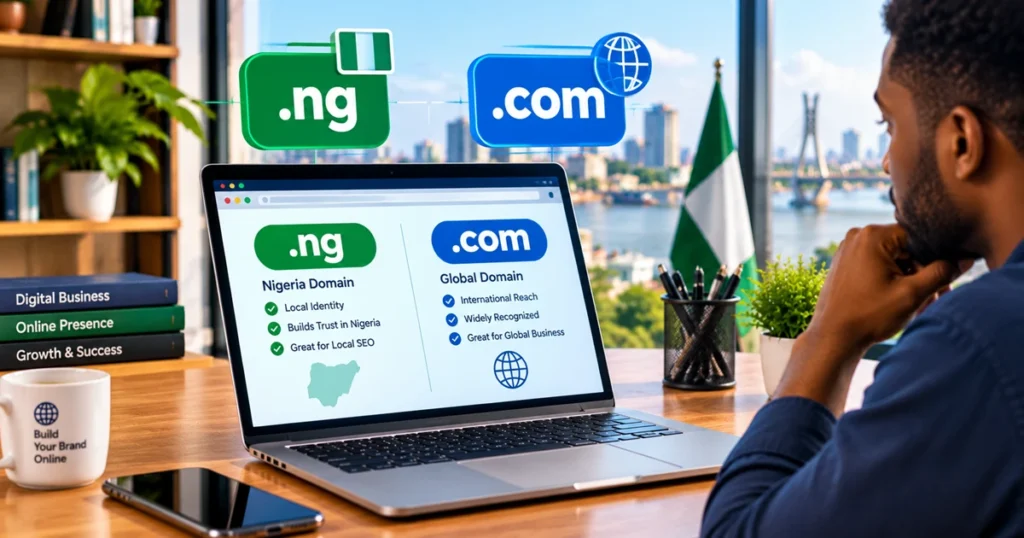
Your domain name contributes to your online identity.
For many businesses, a domain based on the company name is easier for customers to remember.
For example:
yourbusiness.com
or, where appropriate for a Nigerian business:
yourbusiness.ng
Try to keep your domain name reasonably short and easy to spell.
Avoid unnecessary numbers, complicated abbreviations and confusing combinations of characters where possible.
Your domain should ideally be consistent with the name customers already know.
15. Search Engine-Friendly Structure
A professional website should also be understandable to search engines.
This does not mean filling pages with keywords.
Instead, create useful pages with clear headings and descriptions that accurately explain what the page is about.
For example, a business serving customers in Warri could have a service page that naturally explains the service and the areas it covers.
Good SEO practices include:
- Descriptive page titles
- Useful headings
- Clear URLs
- Helpful original content
- Descriptive image alt text
- Internal links between related pages
- Mobile-friendly pages
- Fast loading times
- Accurate business information
The goal should be to make the website useful to people first.
16. Regular Maintenance
A website is not something you should build once and forget.
Web technologies change, software receives security updates, contact information changes and business services develop over time.
Regular maintenance can include:
- Updating WordPress and plugins
- Checking website forms
- Testing important links
- Reviewing contact information
- Checking page speed
- Backing up website files and databases
- Removing unnecessary plugins
- Reviewing security
- Updating old content
- Checking the website on mobile devices
Regular maintenance can help prevent small problems from becoming major website issues.
17. What a Professional Website Does Not Need
A professional website does not need to contain every available web feature.
You may not need:
- Complex animations
- Auto-playing videos
- Large pop-ups
- Multiple sliders
- Excessive advertising
- Dozens of menu items
- Long blocks of unnecessary text
- Flashing elements
- Features that do not serve your customers
Every feature should have a purpose.
If an element makes the website slower or harder to use without providing a clear benefit, it may be better to remove it.
A Simple Professional Website Checklist
Before launching a business website, ask these questions:
Business information
- Can visitors understand what the business does?
- Are the services or products clearly explained?
- Is the contact information accurate?
Design
- Does the website look consistent?
- Is the text easy to read?
- Are the images appropriate?
Mobile experience
- Does the website work properly on a smartphone?
- Are buttons easy to tap?
- Can visitors find the menu easily?
Performance
- Do the pages load reasonably quickly?
- Are large images and files compressed?
- Are unnecessary plugins or scripts removed?
Trust
- Is there an About Us page?
- Are genuine contact details available?
- Are privacy and other relevant website policies provided?
Maintenance
- Is the website software updated?
- Are backups available?
- Are forms and important links working?
If the answer to most of these questions is yes, your website is already moving in the right direction.
Final Thoughts
A professional business website is not simply a website that looks attractive.
It should make it easy for people to understand your business, find useful information, contact you and take the next step.
For a small business in Nigeria, this can be especially important because your website may serve customers far beyond your immediate neighbourhood. A well-organised website can help a business present its services clearly whether the customer is in Warri, Sapele, Port Harcourt, Benin City, Lagos or somewhere else.
Professional website design is therefore a combination of clear information, good design, mobile usability, speed, security, trust and regular maintenance.
You do not need hundreds of pages or complicated technology to achieve this. Start with the information your customers need, make it easy to find, and build the website around a simple and useful experience.
A good business website should ultimately do one important thing: help your customers understand your business and make it easier for them to work with you.